
Alkami
The Extole and Alkami integration turns your digital banking channel into a valuable source of new members through personalized referral and engagement programs.
Overview
This integration is easy to install, requires no custom coding, and includes the following features:
- No code CTAs: Use the Alkami admin to create in-app CTAs and banners for your referral program.
- Fully integrated in-app sharing: When members tap on a CTA, they can access their pre-generated referral link and refer friends via email, SMS, social, or QR code without ever leaving digital banking.
- Secure authentication with SSO: Securely verify and share member identity with Extole using JWT (JSON Web Tokens.)
Prerequisites
| Requirement | Description | |
|---|---|---|
| Member ID | Your unique identifier for a member. In order to use this integration, this identifier must be available in Alkami. Your member identity value should NOT be the members SSN. | |
An Alkami account with Standard SSO enabled | Alkami's Standard SSO feature is in beta. Request access via an Alkami ticket. | |
| Branded Program Domain | You must create and brand your referral subdomain (share.YourCompany.com). Instructions here. |
Before you Start
Add your Extole team to your Alkami staging and production environments
Add your Extole team to your Alkami environments so that they can assist with testing and troubleshooting.
Whitelist your Alkami domains
Submit a request to [email protected] to update the Microsite and Promote Destination to allow-framing for your Alkami staging and production domains.
Integration Set Up
Step 1: Configure your Extole creative
To configure your referral page, go the Extole campaign editor for your referral campaign, select the Microsite creative experience, and edit the copy and creative.
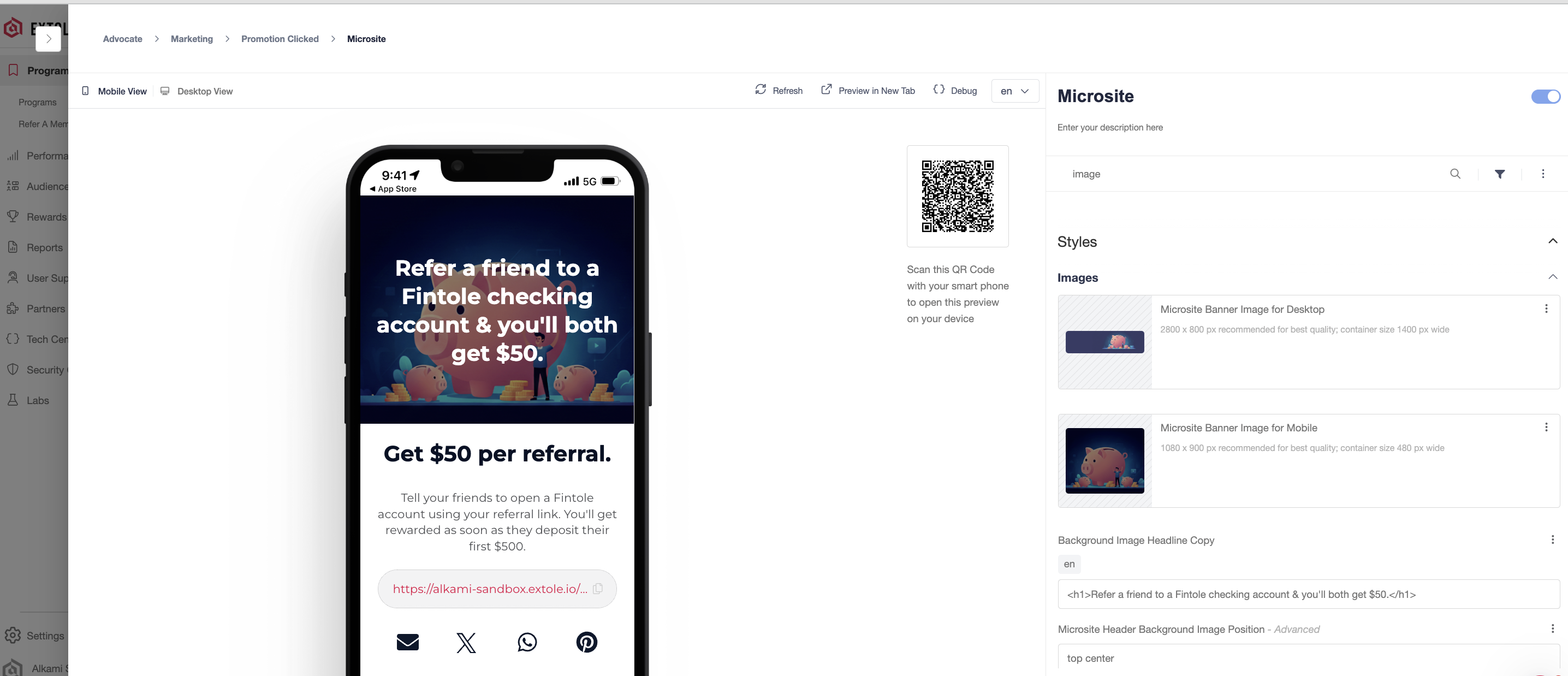
When a member taps on a navigation menu item or banner within in Alkami, they'll be taken to an embedded version of the microsite.
Step 2: Create your navigation menu item and banners in Alkami staging
In the Alkami admin, create new menu item and name it Refer a Friend. In addition to the menu item, you can also place banner adds on your Alkami Dashboard.

Example of an Alkami banner ad
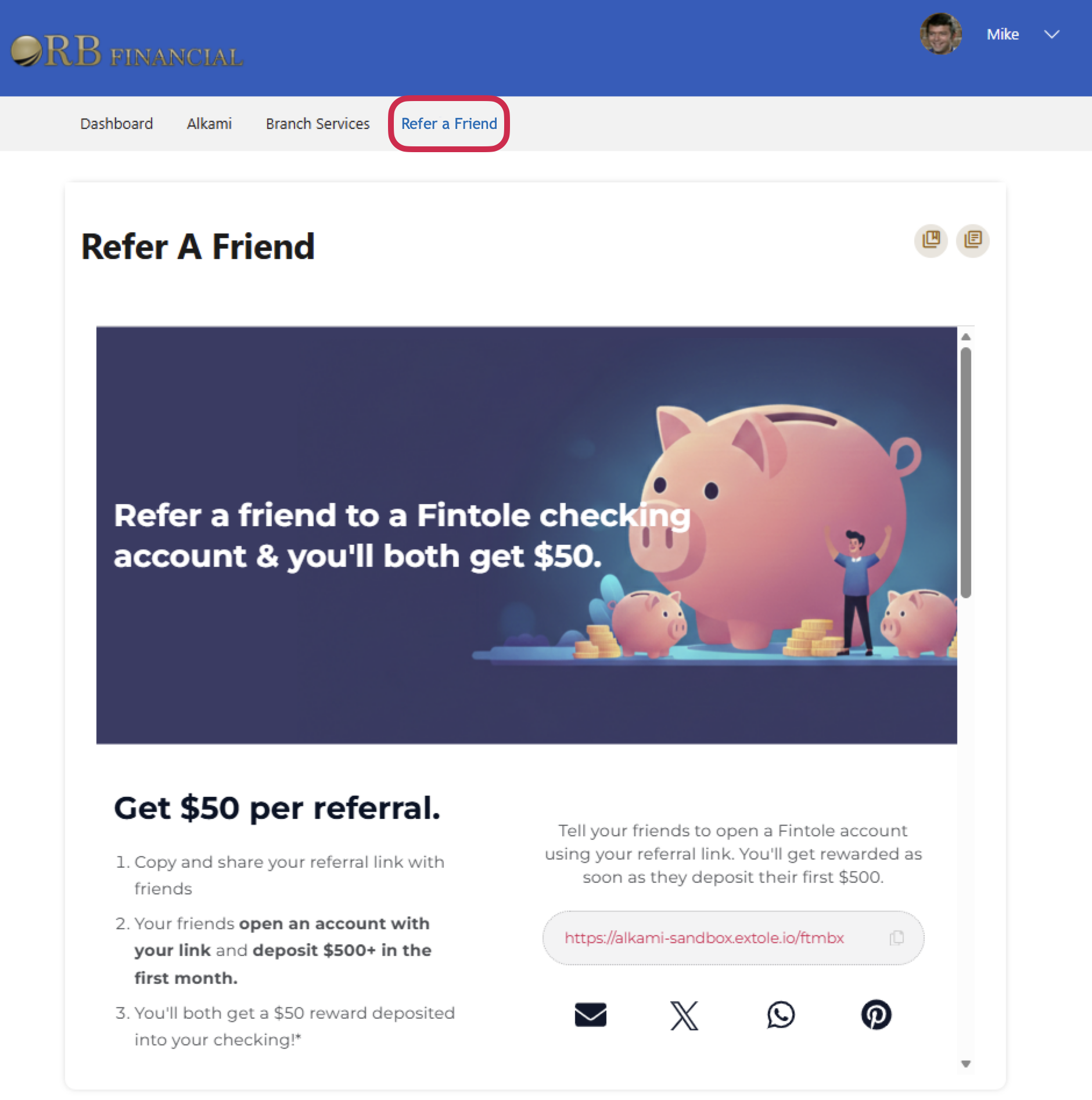
Example of a navigation menu item
Step 3: Set up the integration in the Extole and Alkami platforms
In the Extole platform:
- Go to your Program dashboard and create a promo link. Make sure to name your promo link appropriately (e.g
Alkami Embedded) so that you can track downstream analytics in your Extole dashboard. - Then, navigate to
Security>Create Access Token. Create and copy your access token and store it in a safe place, as you will not be able to access it beyond this point. - Lastly, navigate to
Partners>Alkamiand install the Alkami integration. Update the promotion URL with the promo link you created above and clickApply Changes.
In the Alkami platform:
- Navigate to the set-up menu in your Alkami admin and create a
Standard SSOconnection. - Name your SSO Refer a Friend and configure the SSO with the promo link and access token you created in the Extole platform.
Step 5: QA and push to production
QA the experience in staging to ensure that everything performs flawlessly for your members. After successful QA, repeat steps 3 and 4 in your production environment.
FAQs
How does this integration work?
When a member logs into online banking and taps on a Refer a Friend CTA, Alkami will send a real-time request to Extole's API to federate the members identity and fetch the promote link.
{
  "method": "POST",
  "url": "https://api.extole.io/v5/zones/authorize",
  "headers": {
    "Content-Type": "application/json",
    "Authorization": "Bearer {access_token}"
  },
  "body": {
    "email": "[email protected]",
    "first_name": "Jane",
    "last_name": "Doe",
    "member_id": "246810"
  }
}
In real-time, Extole will then respond with the promote link and a signed JWT to verify the members identify.
{
    "redirectUrl": "https://alkami-sandbox.extole.io/alkami_embedded?jwt={jwt_key}"
}
Members will then be able to access the Extole content from the promote link within digital banking. Extole will use the email address from the initial request to automatically generate their referral link. Name and member ID are then stored on the Extole profile for rewarding, reporting, and personalization.
Is this integration available for our mobile banking app?
Yes, in addition to desktop, the Extole and Alkami integration is fully supported and optimized for your mobile banking app. The referral microsite is mobile-responsive and is embedded directly within your mobile banking experience. On mobile devices, members can also share via SMS, QR code, or their favorite app.
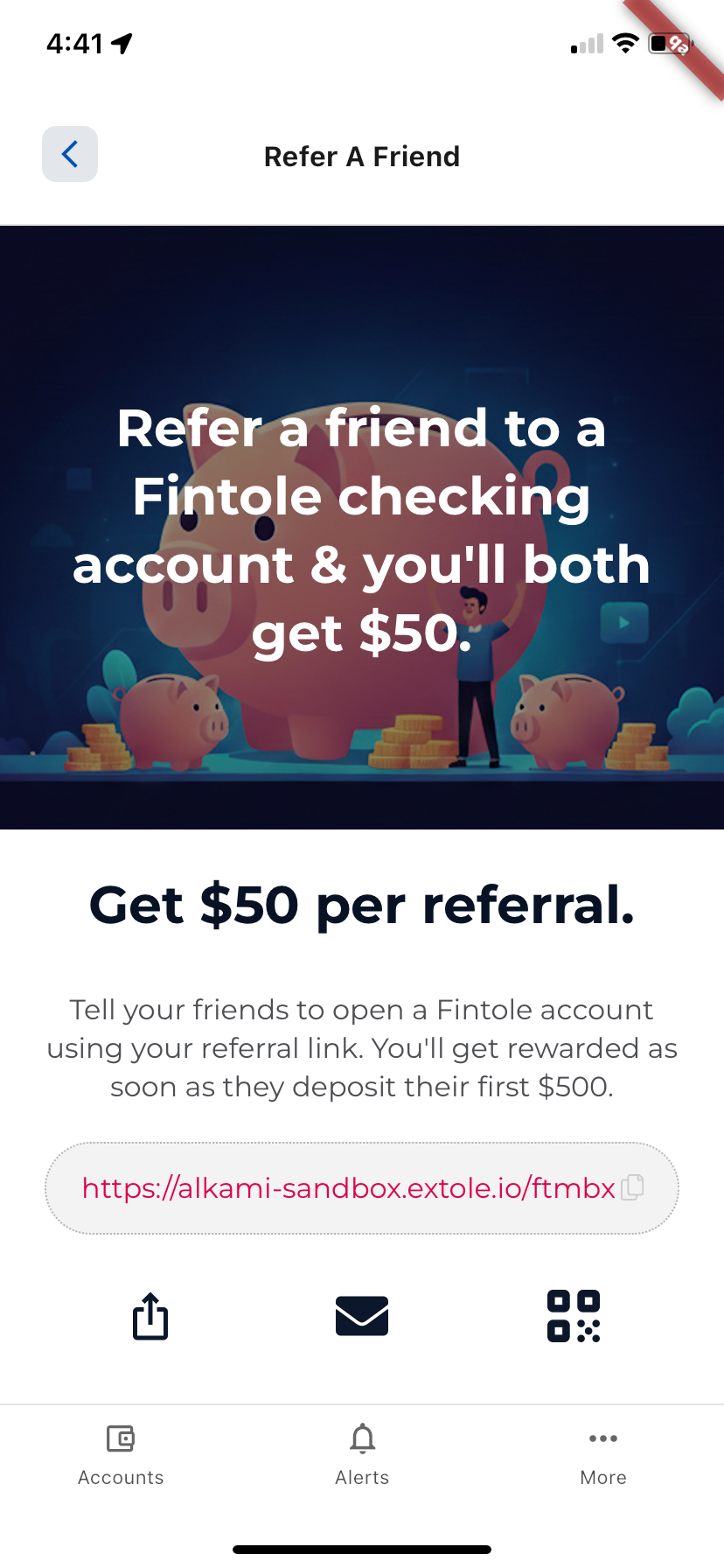
Mobile app experience
I'm not able to preview the experience in Alkami, but I don't see any errors.
Most Extole programs have a rule to check that a users email is on the eligible members list before they are allowed to share. To by-pass this check, you can add the emails of any users to your audience in the Extole platform before testing.
What member data does Alkami share with Extole?
The following member data is securely transmitted from Alkami to Extole via SSO.
| Key | Description | Example Value |
|---|---|---|
member_id required | Your unique ID for the member | 246810 |
emailrequired | Member's email address | [email protected] |
first_name | Member's first name | Jane |
last_name | Member's last name | Doe |
Updated 25 days ago